

LOOM
Loom is excellent in the classroom because it helps students to think and communicate out loud. This practice improves students' communication skills and helps them feel more engaged in class. Students can express themselves by talking rather than writing. Loom enables the class to follow along as the instructor demonstrates through video and visuals. Loom encourages students to create video reflections and demonstrations in a creative way. Loom is excellent for promoting public speaking, as it allows students to practice, organize ideas, and present information without standing in front of the class.
PART 2
LOOM:
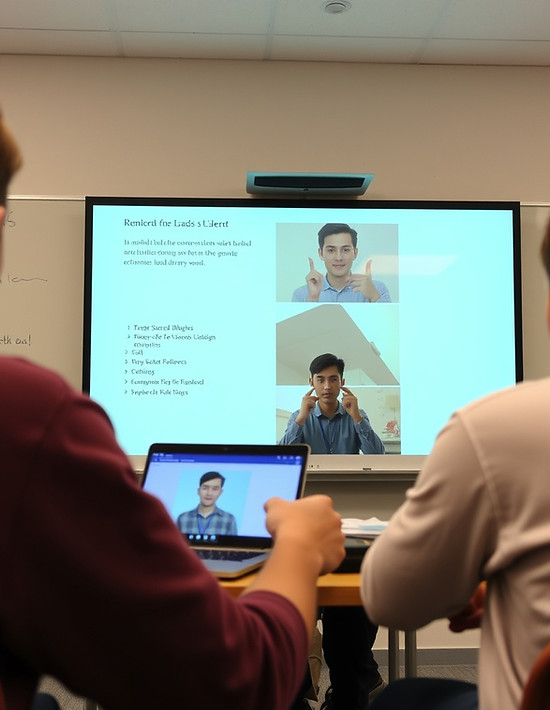
Example of Loom being used in the classroom
LOOM

Loom offers features that are useful in the classroom, especially for history projects. For instance, students can use Loom to research a topic and create a step-by-step video process. Loom is particularly beneficial for students who are uncomfortable speaking in front of the class. They can integrate Loom with other tools such as Google Slides, Canva, or Screencastify. For a history project, such as exploring California missions, students can research when a mission was built, its location, and describe the experiences of missionaries, soldiers, and Indians. They can then record and present their findings using Loom, addressing key questions such as the purpose of the missionaries, daily life at the missions, and contributions from different groups.

Part 3
California Common Core & ITSE Standards

California Common Core & ITSE Standards
California Common Core State Standards
4.2 Students describe the social, political, cultural, and economic life and interactions among people of California, from the pre-Columbian societies to the Spanish mission and Mexican rancho periods.
1. Discuss the major nations of California Indians, including their geographic distribution, economic activities, legends, and religious beliefs; and describe how they depended on, adapted to, and modified the physical environment by cultivation of land and use of the sea
resources.
2. Identify the early land and sea routes to, and European settlements in, California, with a focus on the exploration of the North Pacific (e.g., by Captain James Cook, Vitus Bering, Juan Cabrillo), noting especially the importance of mountains, deserts, ocean currents, and
wind patterns.
3. Describe the Spanish exploration and colonization of California, including the relationships among soldiers, missionaries, and Indians (e.g., Juan Crespi, Junipero Serra, Gaspar de Portola).
4. Describe the mapping of, geographic basis of, and economic factors in the placement and function of the Spanish missions; and understand how the mission system expanded the influence of Spain and Catholicism throughout New Spain and Latin America.
5. Describe the daily lives of the people, native and nonnative, who occupied the presidios, missions, ranchos, and pueblos.
CA. (2000, May 18). https://www.cde.ca.gov/BE/ST/SS/documents/histsocscistnd.pdf
ITSE Standards:
2.4 Collaborator
2.4.b Learn Alongside Students
Educators collaborate and co-learn with students to discover and use new digital resources, and diagnose and troubleshoot technology issues.
2.4.c Use Collaborative Tools
Educators use collaborative tools to expand students' authentic, real-world learning experiences by engaging virtually with experts, teams and students, locally and globally.
2.5 Designer
2.5.a Accommodate Learner Differences
Educators use technology to create, adapt and personalize learning experiences that foster independent learning and accommodate learner differences and needs.
2.5.b Design Authentic Learning Activities
Educators design authentic learning activities that incorporate technology to advance student outcomes and develop opportunities for students to apply their knowledge.
2.5.c Innovative Learning Environments
Educators apply evidence-based instructional design principles to create innovative and equitable digital learning environments that support learning.
1.6 Creative Communicator
1.6.a Choose Platforms or Tools
Students choose the appropriate platforms and digital tools for meeting the desired objectives of their creation or communication.
Home. ISTE. (n.d.). https://iste.org/
Part 4:
PIC and PICRAT

PIC and PICRAT
Part IV: PIC and PICRAT
Loom replaces traditional practices by allowing students to record their assignments and express themselves visually and verbally. Conventional methods involve students writing their assignments or placing information they may have researched on poster boards. Loom allows them to express themselves by recording their assignments and presenting them to the class. It’s also a good way for teachers to use Loom to record directions for students to review whenever they need more precise instructions.
Loom amplifies the traditional way of giving instructions in front of the classroom, records them on a screen, and delivers precise step-by-step instructions for completing an assignment. Students are usually given either printed information on paper or written on the board at the front of the classroom. Looms allows teachers to demonstrate on-screen using examples of websites, organize documents, and provide a more precise understanding of the teacher's expectations. Teachers are traditionally given either verbal or written feedback on a report or presentation. Sometimes the paperwork for the report takes a long time to return, but students can get immediate feedback, allowing them to fix or improve their grade right away instead of waiting weeks.
Loom can transform traditional practices like paper-based learning and give students the chance to experience multimedia. Students can transform their presentation from standing in front of the class to creating a narrated presentation by combining images, websites, and screen demonstrations, and by giving a multimedia presentation that engages higher-level thinking. Also, presenting a presentation gives students more time to submit, and allows students who are ill to demonstrate without being present.
Loom can be used passively by simply watching the Loom video without interacting or responding to the teacher. Using Loom provides clear lesson instructions, but when students who like to ask questions about the material are unavailable, they are only given the recorded information.
Students are interacting with Loom at a lower cognitive level, focusing only on simple, surface-level tasks. A good example: students can watch the Loom content, but can only write a summary of the presentation or comment on the video. Loom can allow students to watch the information online, have students work on worksheets, and give back basic information that was presented. The thinking skill is straightforward and teacher-directed. Students can take notes during the presentation and copy the examples. By doing this, students are still following procedures and not thinking analytically.
Loom can be used for students to create content. When students are using Loom, their cognitive thinking is at a higher level. Loom is like writing, but it's building with our minds and expressing assignments or projects by planning the recording. Students can create scripts and say what they want on Loom before recording. The students can plan key ideas and explain them, plan images, and show a step-by-step process before recording this on Loom. Students can use their voices, photos, slides, and timelines to transform their assignment into an entertaining project rather than writing or speaking in front of the class.