


Reflection
This Multimedia Integration Assignment was a captivating class. I had to push myself to learn new applications inside an “Online Classroom.” It’s interesting to realize that AI has a part in everything in the classroom. Students have been using AI for a while in their personal lives, so why not incorporate AI into their education? Teachers and students can learn new and fascinating applications and have fun learning new information. AI technology has enabled teachers to integrate applications that support students with study needs or language barriers, helping them understand assignments with AI assistance. AI has also allowed teachers to ensure that the California Common Core and ITSE standards are met.
My Intergration
with technology in the classroom
There are many ways teachers can use technology in the classroom, but it’s more critical that technology is used to help students learn. Shy students are more likely to engage using AI applications to build confidence when expressing their ideas than being called upon in the typical classroom experience. Students can now use applications that align with both the Common Core State Standards and ITSE Standards.
Many students are given a lot of information in history. Students are expected to memorize details like dates, names, and places. With Google Earth, for example, students can access information and visualize famous landmarks from the original 13 colonies. Students can explore places and visit historical sites like where the Liberty Bell is located (Boston, Massachusetts) without ever leaving their house. Simply enter the information in Google Earth and explore the historical sites on the computer.
So, let’s explore Book Creator, Google Earth, and Loom, which could assist students with their learning needs.

Intergration with Technology in the Classroom



Google Earth
Teachers like using it in the classroom because it turns lessons into more engaging, interactive experiences with the real world. Students can learn about geography and historical changes, take virtual field trips, and compare landforms. Google Earth can be used in history, science, math, and civic classes.

LOOM
Loom is excellent in the classroom because it helps students to think and communicate out loud. This practice improves students' communication skills and helps them feel more engaged in class. Students can express themselves by talking rather than writing. Loom enables the class to follow along as the instructor demonstrates through video and visuals. Loom encourages students to create video reflections and demonstrations in a creative way. Loom is excellent for promoting public speaking, as it allows students to practice, organize ideas, and present information without standing in front of the class.
LOOM
Loom enhances learning by giving students a more personal connection to their assignments. Students can recall recorded lessons, which helps them learn more effectively. Loom does support “asynchronous “ learning, so students can pause and rewatch what they have learned at their own pace.
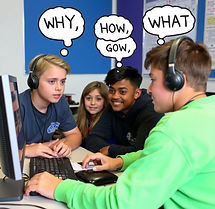
Loom expands students' expression by allowing them to create videos. Students can create presentations and tutorials on what they have learned. Students can record their own voices or present their faces in a recording to walk through their presentations. Students can highlight key elements in their presentation and can use gestures to inform students to visit or recall a section. Students can support each other, and it allows students who struggle to write to explain ideas through Loom.
Loom expands students' expression by allowing them to create videos. Students can create presentations and tutorials on what they have learned. Students can record their own voices or present their faces in a recording to walk through their presentations. Students can highlight key elements in their presentation and can use gestures to inform students to visit or recall a section. Students can support each other, and it allows students who struggle to write to explain ideas through Loom.

Book Creator
Book Creator and Universal Design have multiple means of engagement. Book Creator allows students to create personal books with colors, pictures, and videos. It also allows students to have the book read to them while they follow along. Book Creator will also enable students to collaborate, so everyone's vision is expressed in the book. Book Creator will also allow students to design and present their ideas in a book, helping them learn about the subject matter. Book Creator is a very low-stress stress that supports students who want to learn how to write. This is a creative way for students to learn from one another.
Book Creator supports information through text, illustration, and embedded videos. Students can add recordings and multimedia to help them learn from the content. Book Creator also allows teachers to add scaffolding, such as read-alongs, vocabulary words, and reasons why videos are easy to understand. By offering Book Creator in the classroom, students can learn universally through different learning processes.
Book Creator gives students the flexibility to express themselves through different outlets.
Students are to be creative in their writing, record audio so students can listen, provide video explanations of the content, and demonstrate drawings. This allows students to demonstrate their learning abilities by interacting with Book Creator. Students can revise their book whenever they want and express their creativity through Book Creator.

Google Earth

Google Earth offers multiple ways to engage. Google Earth allows learning to be more of an exploration and interactive experience. Students can make up virtual tours, field trips, and map explorations. Students can create virtual tours and illustrate the path they take to demonstrate how useful Google Earth is to them. Google Earth can also help you visit faraway places and show the different geographical changes it has undergone over time. Students can choose where to visit or view historical sites, and navigate the area to see what once was there.
Google Earth offers different types of representations. Google Earth has features where students can use 3D models to see other locations, seas, historical sites, and elevations. Street maps and views are available and are layered with historical and scientific data. The presentation of the historical sites is colorful and engaging. Students can “pin” different locations, record historical sites, and make notes of the locations they “pinned”. Google Earth can benefit students who learn visually and understand the geography of different parts of the Earth. Students can learn about other cultures and their surroundings to show what is readily available to them when they explore various locations
Google Earth supports students by allowing them to express themselves through creating their own “ideal” tours and making story maps to explore. Students can make notes in Google Earth and return to their project to annotate their findings. Students can add text, record audio, and attach images or videos to their projects. Students can demonstrate their learning through digital mapping rather than on paper. Students can navigate with ease and have fun while learning.

Book Creator
Book Creator has strengths, including audio narration, closed captioning for videos, and “read to me” for students who might have difficulty seeing. Book Creator is very diverse, as learners can create their own material
Students with disabilities may have difficulty creating a book in class. Templates might be a little more challenging to use. Minorities, diverse sexual identities, and a variety of cultural backgrounds might not be represented in the templates. Students with a language barrier can have issues using Book Creator. Stereotyping can also be a form of bias, since students are writing the books, and a “story” can be aimed at one culture. Book Creator can also experience discrimination issues. Some information that might be included can present a biased perspective and fail to provide complete details. Book Creator can exhibit linguistic bias because its default use of information favors one standard and can ignore other linguistic cultures. Book Creator does offer equality, but it's only when students and teachers can represent diverse voices and avoid stereotyping.
Part 6: Biases in Book Creator, Google Earth and Loom
Google Earth
Google Earth offers extensive interaction, allowing students to bring geography, history, and global awareness into the classroom. Since students use Google Earth on the computers, the outdated atlas is no longer recognized at the school. Some may even say that the globe is not being represented in the classroom. Many visual learners need to see maps and regions around the world. We can now visit sites like Google Earth to learn from their information.
Google Earth provides imagery, maps, and geographical data. Some biases in Google Earth include underrepresentation of remote regions, leading to a lack of information and detail about these destinations. Some landmarks may not be labeled correctly, leading to inaccurate or omitted information. Also, labeling remote locations may misrepresent their language differences. So, viewpoints can challenge the information represented, making it “unrepresented.” Indigenous places may be replaced, and the language and cultures are not being identified. Some communities may have “dots” or be overlooked and, given the information, be deemed less relevant. Since Google may be neutral, it faces uncertainties about the representativeness of its geographical areas and cultures. The info may be there, but not being visualized.
Loom
Loom is an excellent tool for students to use for video sharing. It’s great for tutorials, presentations, remote instructions, and explanations.
Loom does not account for students' diverse perspectives. Loom can record stories, but is all diversity being represented unconsciously? It’s unclear, since Loom can record what the creator is filming. Also, cultural norms among wealthier classes grant access to Loom, whereas lower-income courses have limited access. Loom can make the viewer seem one-sided and ignore other cultures' viewpoints. Loom lacks a balance of diverse perspectives, which can restrict a content creator's ability. For instance, if Loom is only in English, it may not include subtitles, translations, or support for hearing-impaired users. Loom does not guarantee equality, but it does allow anyone to create content.

References
Book creator - love learning. Book Creator app. (2025, November 3). https://bookcreator.com/
Build interactive and gamified experiences. Genially.com. (n.d.). https://genially.com/
CA. (2000, May 18). https://www.cde.ca.gov/BE/ST/SS/documents/histsocscistnd.pdf
Google. (n.d.). Earth versions – Google Earth. Google. https://www.google.com/earth/about/versions/
Home. ISTE. (n.d.). https://iste.org/
Michela, E. (n.d.). EdTech books. https://edtechbooks.org/k12handbook/universal_design_for_learning
Sadker, D. (n.d.). Seven forms of bias in instructional materials. https://www.sadker.org/curricularbias.html